Best podcast recording software empowers creators to transform their ideas into engaging audio experiences. The landscape of podcasting is continually evolving, and with the right tools, anyone can produce high-quality content that resonates with listeners. This overview will navigate the most popular software options available today, highlighting their unique features, user-friendliness, and essential elements that contribute to a successful podcasting journey.
From audio quality to editing capabilities, the right software can greatly enhance your podcasting experience. We’ll delve into the vital features that every podcaster should consider, ensuring that you can easily select the best fit for your needs, whether you’re just starting out or looking to refine your craft.
Best Podcast Recording Software Overview
Choosing the right podcast recording software can significantly impact the quality of your audio and the overall production process. With numerous options available, each software offers a unique set of features tailored to various needs, skill levels, and production complexities. This overview highlights some of the best podcast recording software currently available, focusing on their key features and user experience for both novices and seasoned professionals.
Top Podcast Recording Software
Understanding the strengths and specialties of different podcast recording software is essential for podcasters. Here is a list of the most popular software options, detailing their unique features and usability.
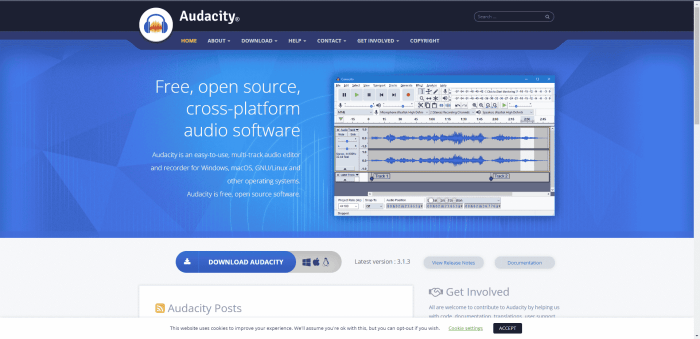
- Audacity: Audacity is a free, open-source software that is widely used for audio recording and editing. Its key features include multi-track editing, numerous audio effects, and a user-friendly interface. While it may have a steeper learning curve for beginners due to its vast array of tools, experienced users appreciate its flexibility and depth.
- Adobe Audition: As part of the Adobe Creative Cloud suite, Adobe Audition offers professional-grade tools for audio editing and mixing.
Its features include spectral editing, noise reduction, and multitrack recording. While it provides an extensive range of functionalities suited for advanced users, its price point and complexity might be daunting for beginners.
- GarageBand: Exclusive to Mac users, GarageBand is an intuitive option for newcomers to podcasting. It provides a simple interface, pre-recorded loops, and built-in sound effects. The ease of use makes it a favorite for beginners, but it may lack the advanced features that seasoned podcasters seek.
- SquadCast: Designed specifically for remote podcasting, SquadCast excels in providing high-quality audio recordings for interviews. Its unique feature is the ability to record in separate audio tracks to ensure clarity. The user interface is straightforward, making it accessible for users at all levels.
- Reaper: Known for its affordability and extensive customization options, Reaper offers a robust platform for audio recording and editing.
It includes features like multi-track recording, VST plugin support, and MIDI compatibility. While it may require some initial setup, users find it highly efficient once customized to their needs.
- Hindenburg Journalist: Tailored specifically for podcasters and journalists, Hindenburg Journalist focuses on storytelling and voice recordings. Its automatic leveling and easy-to-use interface make it a strong choice for beginners, while advanced features like sound effects and music integration appeal to more experienced users.
- Zencastr: Zencastr provides a browser-based recording solution that captures high-quality audio from multiple remote sources. Its automatic post-production features and easy-to-use interface are beneficial for novice podcasters, while professionals appreciate the seamless integration of various audio tracks.
Each software listed not only caters to different skill levels but also enhances the podcasting experience through innovative features designed to improve audio quality and streamline the editing process. The choice of software ultimately depends on the specific needs of the podcaster, whether they prioritize ease of use, advanced editing capabilities, or remote recording options.
Essential Features for Podcasting Software
In the world of podcasting, the right software can significantly enhance the recording and editing process. Selecting software with essential features ensures a smooth workflow, high audio quality, and effective collaboration amongst team members. This section delves into the vital aspects that podcast recording software should possess to elevate the podcasting experience.
Importance of Audio Quality and Editing Tools
Audio quality remains a cornerstone of any successful podcast. The clarity and richness of sound can greatly influence how audiences perceive content. High-quality audio recording capabilities minimize background noise and ensure that the host’s voice is crisp and clear. Essential editing tools are equally important. They allow podcasters to cut out mistakes, adjust volume levels, and add effects or music seamlessly.
A well-rounded software package typically includes features like noise reduction, equalization, and multi-track editing.
High-quality audio combined with effective editing tools can turn a good podcast into a great one.
Cloud Storage and Collaboration Features
Cloud storage options are increasingly crucial in today’s collaborative work environment. With cloud capabilities, podcasters can easily back up their recordings, ensuring that no precious content is lost. Additionally, these features facilitate the sharing of audio files among team members, regardless of their location.Collaboration tools within podcasting software allow multiple users to work on a single project simultaneously. This feature is particularly beneficial for teams, as it enables real-time feedback and edits.
The ability to comment, suggest changes, and track revisions improves the overall quality of the final product.
Comparison of Pricing Structures
When it comes to choosing podcast recording software, understanding the pricing structures is essential. Different software options offer varying features at distinct price points, making it important for podcasters to find a balance between cost and functionality.Here’s a comparison of popular podcast software pricing:
| Software | Pricing Model | Key Features |
|---|---|---|
| Adobe Audition | Subscription: $20.99/month | Multi-track editing, noise reduction, effects library |
| Audacity | Free | Open-source, basic editing tools, cross-platform |
| SquadCast | Starting at $20/month | Remote recording, cloud storage, video option |
| Riverside.fm | Starting at $15/month | High-quality video & audio recording, cloud storage |
This comparison highlights how diverse the options are, enabling podcasters to choose a software solution that fits their needs and budget. By weighing the features against the cost, creators can select the best tools to help realize their podcasting dreams.
Enhancing Podcast Reach and Engagement

Expanding your podcast’s audience and engagement levels requires a strategic approach that leverages modern digital marketing techniques. The landscape of podcasting is competitive; hence, utilizing the right tools and strategies can make a substantial difference in attracting listeners and creating a loyal following.
Building an Audience Through Social Media and Online Platforms
Social media is an invaluable resource for podcasters aiming to grow their audience. By employing various strategies across platforms, creators can effectively reach potential listeners. Here are key strategies to consider:
- Content Sharing: Regularly share snippets or highlights from episodes on platforms like Instagram, Twitter, and Facebook. This gives potential listeners a taste of what to expect.
- Engagement: Interact with followers through polls, Q&A sessions, and comments, making them feel involved in the podcast’s development.
- Collaborations: Partner with other podcasters or influencers to cross-promote content. This can help tap into their audience base.
- Hashtags and Trends: Utilize trending hashtags to increase visibility of your posts and tap into larger conversations relevant to your podcast themes.
Role of PPC Advertising in Promoting Podcasts
Pay-per-click (PPC) advertising plays a crucial role in enhancing the visibility of podcasts. It allows podcasters to target specific audiences effectively. Here’s why PPC can be beneficial:
- Targeted Advertising: Platforms like Google AdWords and Facebook Ads enable you to target specific demographics based on interests, behaviors, and locations, ensuring your ads reach potential listeners.
- Measurable Results: PPC campaigns provide analytics that help in understanding listener behavior and preferences, allowing for data-driven decisions to optimize future campaigns.
- Budget Control: You can set a budget for your campaigns, making it manageable for creators of all sizes. This ensures that you can effectively control your marketing spend while reaching a broader audience.
Utilizing Paid Surveys for Listener Feedback
Gathering feedback through paid surveys is an effective method for improving podcast content. By understanding listener preferences, podcasters can tailor their episodes to better meet audience needs. Here are some methods to implement this:
- Survey Creation: Develop surveys that ask targeted questions about content preferences, episode length, and desired topics. Use platforms like SurveyMonkey or Google Forms for easy distribution.
- Incentivization: Offer small rewards or entry into a prize draw to encourage listeners to complete surveys, improving participation rates.
- Analysis of Results: Regularly analyze feedback to identify trends and areas for improvement, ensuring that the content remains relevant and engaging to your audience.
“Feedback is the breakfast of champions.” This phrase highlights the importance of listener input in refining and enhancing podcast content.
Outcome Summary
In conclusion, selecting the right podcast recording software is crucial for elevating your audio content and building a loyal audience. The tools we discussed not only enhance the technical aspects of podcasting but also offer crucial features that facilitate collaboration and audience engagement. As you embark on or continue your podcasting journey, remember that the right software can significantly impact your storytelling and listener experience.
Helpful Answers
What is the best podcast recording software for beginners?
Software like Audacity and GarageBand are great for beginners due to their user-friendly interfaces and essential features.
Can I record podcasts directly on my phone?
Yes, there are many mobile apps available, such as Anchor and GarageBand for iOS, that allow you to record high-quality podcasts directly from your smartphone.
Is it necessary to invest in expensive software for podcasting?
No, many affordable or even free software options provide excellent features suitable for podcasters at any level.
How can I improve my podcast audio quality?
Using quality microphones, headphones, and soundproofing your recording environment can greatly enhance your audio quality.
What editing features should I look for in podcast software?
Look for software that offers multi-track editing, noise reduction, and easy audio effects to refine your recordings.